
You need a workspace and the address of a public website. If you don’t have a workspace yet, create one first.
Add the website
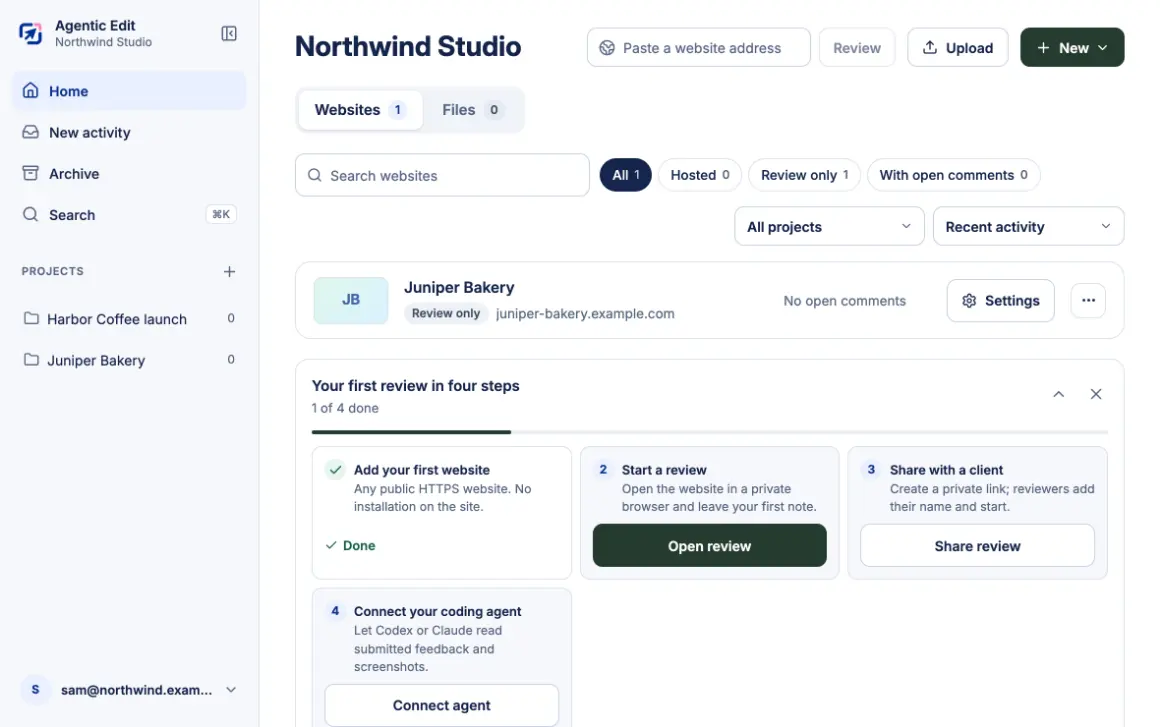
- Open your workspace. On Home, paste the website’s address and choose Review.
- Agentic Edit opens the website review. Public sites can open in instant view; shops and pages that need a full browser may take several seconds to start.
- Browse to the page you want to talk about, the way you normally would.
Leave your first comment
- Switch from Browse to Comment in the review toolbar, at the top on desktop and the bottom on phones.
- Hover over the page and click the thing you want changed. On a phone, tap it.
- Write what should change in the card that opens, then choose Post comment.
That is the whole job your client will do. Trying it yourself takes under a minute.
Send it to your client
- Choose Share, type your client’s email address under Invite by email, and choose Send.
- They get their own private link. They don’t need an account.
More on this in Invite your client, including what to do if email is not set up.
Read what comes back
Choose the comments button in the review toolbar. Every posted comment is there with its screenshot. When email is set up, you get one summary when your client chooses Finish review, or after 60 minutes with no new comment if they leave without finishing.
Reply if you have a question. Once your team has made and checked the change, choose Resolve on the comment.