
- In a project, choose New canvas, then PDF / Images, and add one PDF of up to 100 MB.
- Choose Continue. Use the pages down the right side to move around the document.
- Pick how a click works, using the buttons above the page, then comment.
| Tool | Use it for |
|---|---|
| Pin | A spot on the page. Click it and write. |
| Highlight text | Exact words. Select them, then choose Comment on this text. |
| Flag page and its number | A comment about the whole page, with no pin. |
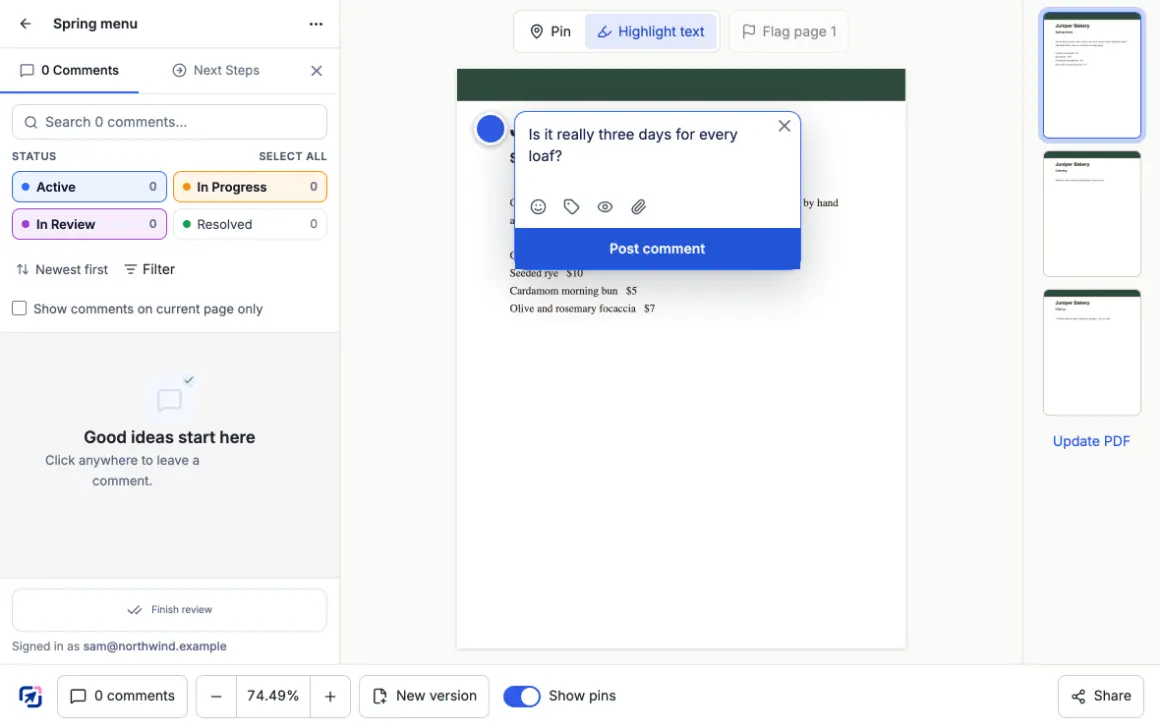
Have a new draft? Choose Update PDF or New version to upload it as a new version, so the comments on the old one stay with it.