
Workspace and project permissions
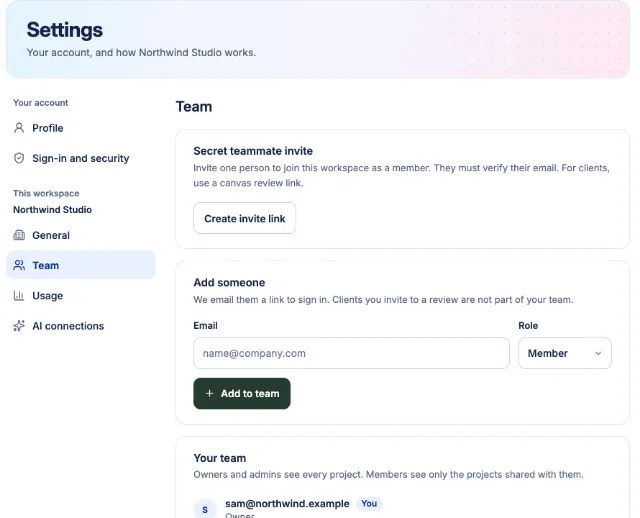
Staff access requires an active agency membership and permission for the project. A signed-in account alone does not grant access to every workspace or client.
Access is checked on each requestWebsite feedback can contain more than a design opinion. Keep captures, conversations, and AI access within the project permissions your agency controls.
Who can enter a project, see its evidence, and connect a coding client are separate decisions.
Staff access requires an active agency membership and permission for the project. A signed-in account alone does not grant access to every workspace or client.
Access is checked on each requestScreenshots and attachments are stored privately. Viewing or downloading them requires project access; knowing a file’s address does not replace that permission.
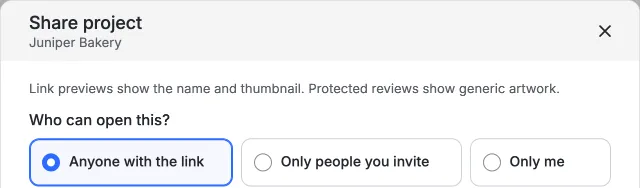
Downloads recheck authorizationReviewer invitations and project share links expire and can be revoked. A revoked parent share link also ends the project access granted through that link.
Expiring, revocable review accessA draft belongs to the person writing it. Finish review submits ready drafts; unfinished requests stay private. Submitted feedback becomes available to authorized project participants and approved AI connections.
Drafts stay out of AI handoffPrivate drafts are available to their author. They are not included in the project’s submitted feedback or AI handoff. Finish review submits the author’s ready drafts, including those hidden by a feedback filter. Incomplete drafts stay private.
Future project access granted through that parent link is denied, including browser control and evidence downloads. Revocation cannot recall screenshots or packages that someone has already downloaded.
The connection grants access to the submitted review context for the projects you approve. Repository credentials and implementation authority belong to your separately authorized coding environment. Agentic Edit does not acquire them from your website address.
One place for the request. A shared understanding of what comes next.