
A project for the whole job
Keep a client’s website, campaign videos, design proofs and emails together. Share a whole project or invite a guest to just one canvas.
Client project workspacesKeep websites, videos, designs, documents and emails together for each client, with the context your team needs to make the next edit.
Group related canvases, share the work, and keep the right requests with the right client.
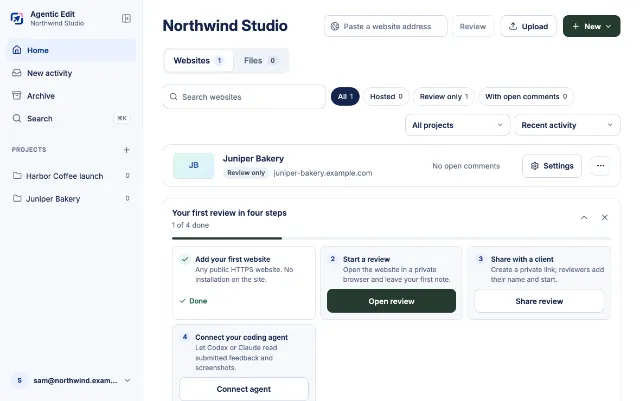
Keep a client’s website, campaign videos, design proofs and emails together. Share a whole project or invite a guest to just one canvas.
Client project workspacesStaff sign-in, scoped reviewer access and protected screenshots keep project feedback in the right hands.
Security & accessSee who asked, what they marked and which page they meant. Keep replies and status history alongside the request.
Shared feedback and repliesEmail brings your admin back to the feedback. Your coding tools can read the same evidence and report what changed.
AI connectionsRequests are saved in the project. When email notifications are enabled, your team gets one email when the reviewer finishes, with a link to the feedback. From there, your team can inspect screenshots and markups, reply, and resolve or reopen requests.
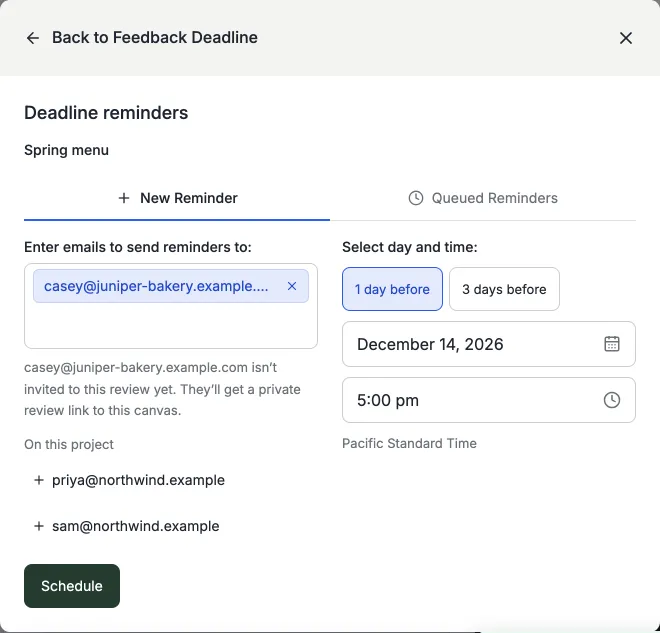
Notifications and deliveryReviewer invitations and project share links expire and can be revoked.
The requests are saved in the project. When email notifications are enabled, your team gets one email when the reviewer finishes, with a link to the feedback. From there, your team can inspect screenshots and markups, reply, and resolve or reopen requests.
Future project access granted through that parent link is denied, including browser control and evidence downloads. Revocation cannot recall screenshots or packages that someone has already downloaded.
No. The client opens the review link, browses the website, and requests changes. The agency handles the coding client and repository permissions.
One place for the request. A shared understanding of what comes next.